
The best app to reduce your iPhone screen time
Quick disclaimer:
I am not affiliated with the app recommended in this article. I just wholeheartedly believe in it.
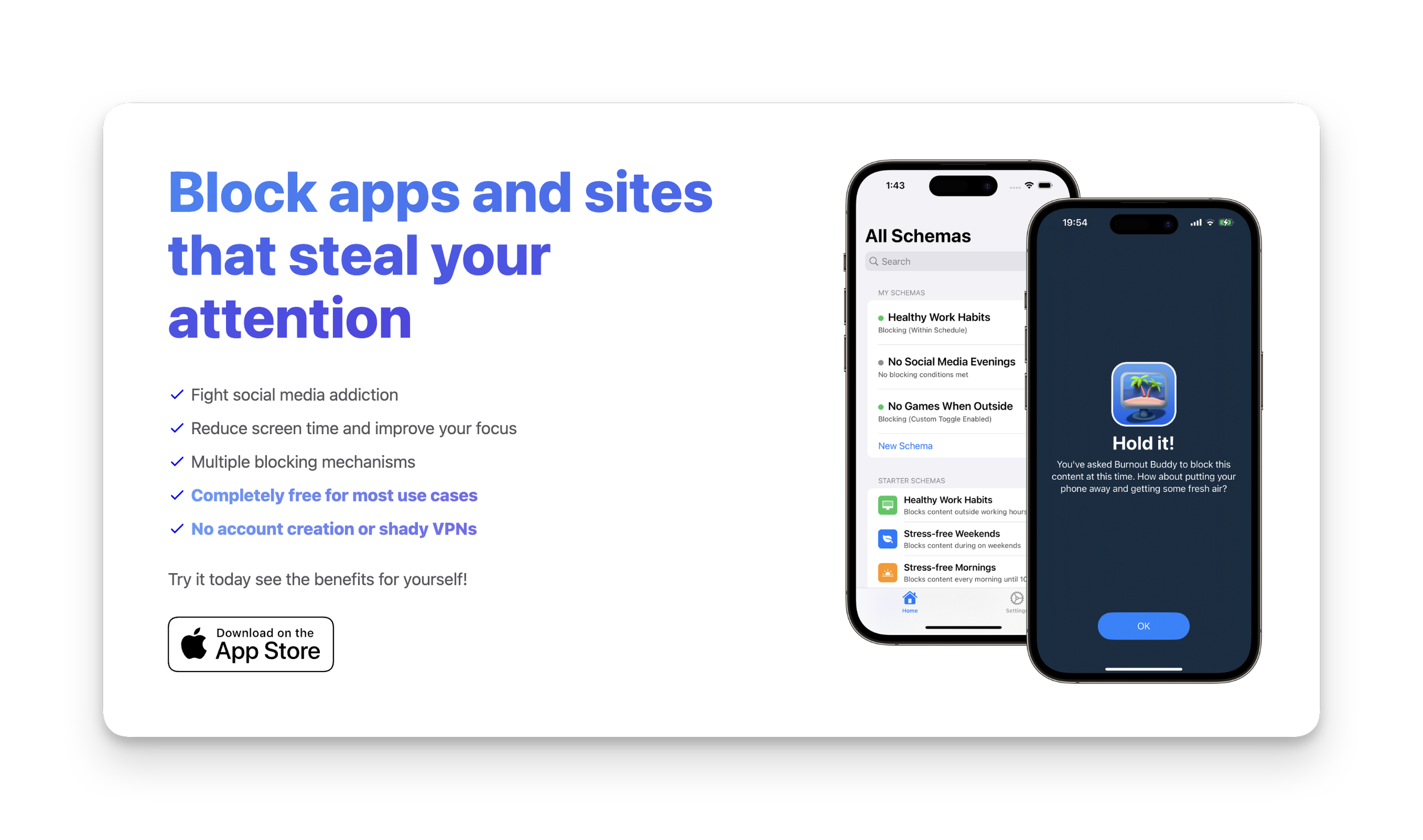
There’s a lot of app blocking apps on the market these days. (Probably because we’re all addicted to our phones — right?)
If you’re like me and have tried them all but still manage to override the blocking mechanism (😢), then I have the app for you.
Here’s a few reasons why I love this app:
It collects ZERO data about you
It’s free for MOST peoples needs
If you need more blocking options it’s only $9.99USD in the App Store — no subscriptions!
The blocking mechanism is so infuriating that you truly won’t want to bother unblocking it.
So, what’s the app?
The free version allows you to set up two “Schemas“. Here are the two I created and personally recommend:
1. Combined app access schedule and daily usage limit
The most effective combination I have found is to block all distracting apps in the morning and evening and also set a daily usage limit.
Here’s how to set up a schedule and daily usage limit:
Open Burnout Buddy
Click the + icon in the top right
Give your schema a name in ‘Step 1’ (eg. 30m limit)
Select all the apps and websites you want the schema to apply to in ‘Step 2’
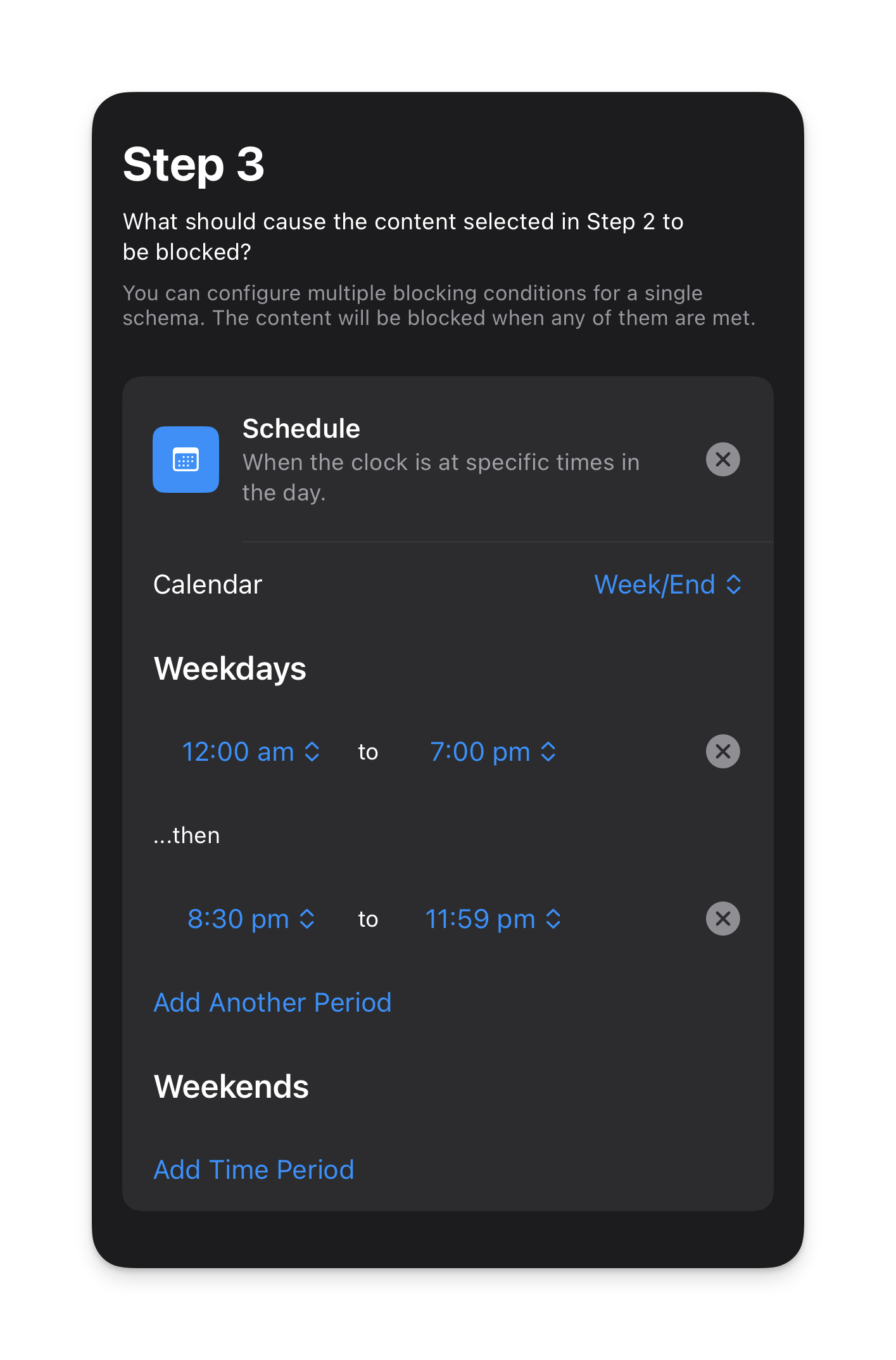
Choose the schedule you want the schema to run on.
I currently have mine set as follows:
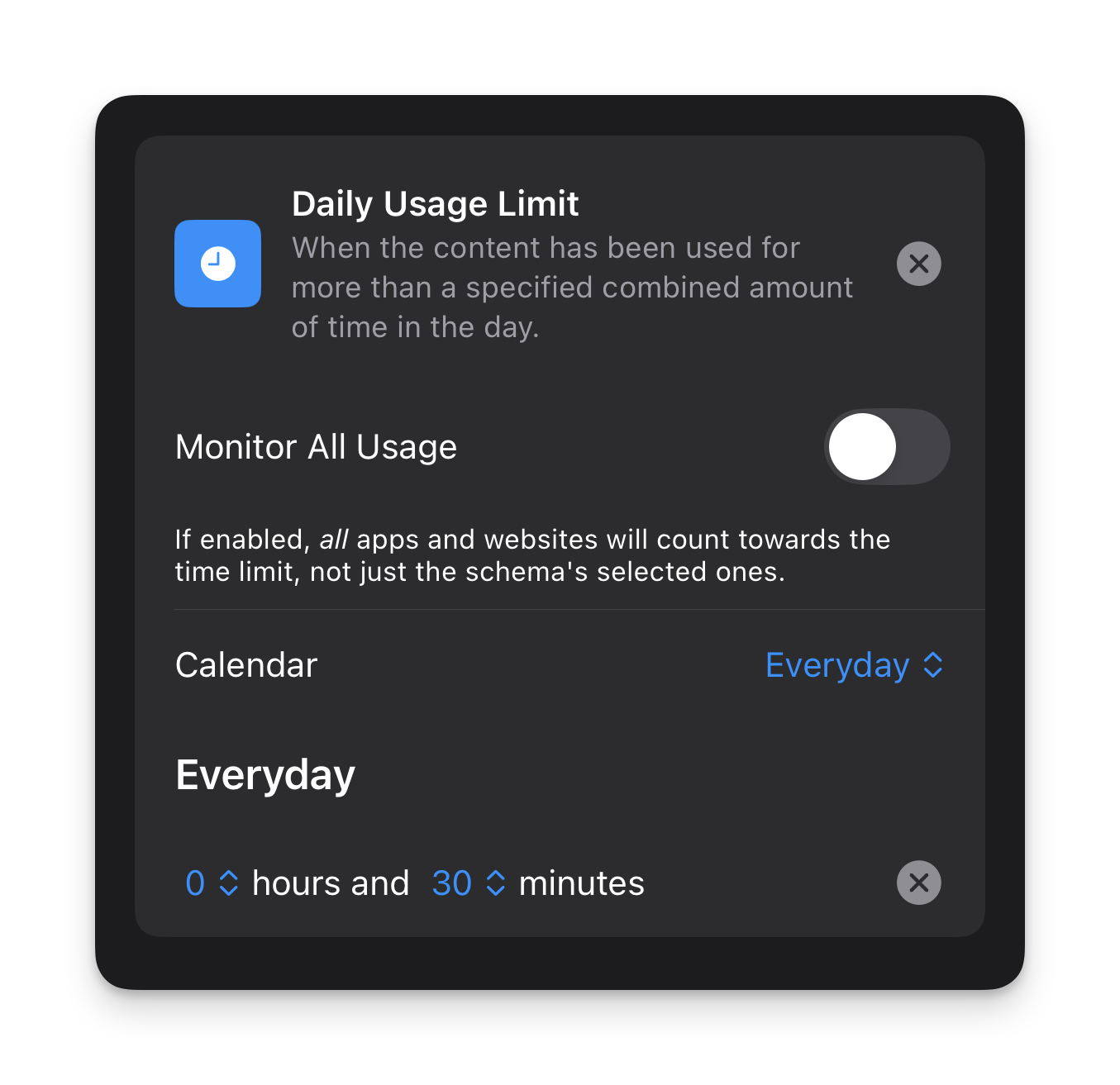
- Now set a daily usage limit.
Mine is set as follows:
- Set custom/siri settings if desired (I personally don’t use these settings)
- Enable ‘Strict Mode’ in the ‘Advanced’ section.
- Hit ‘Publish’ in the top right.
2. Quiet Mornings
I think a lot of us have become quite conditioned to fear being ‘unavailable’ in case there’s an emergency when 99.9% of the time there are no emergencies.
I am guilty of this.
But recently I thought to myself, if I was someone who didn’t get out of bed until 8 or 9 am, I wouldn’t be available until that time anyway — so if I’m awake but unavailable, what’s the difference?
This led me to setting up the following schema.
What was initially a 1-week experiment for me, turned into a permanent addition to my digital wellness toolkit for creating more intention and clarity in my days.
Here’s how to set up a quiet morning schema:
Open Burnout Buddy
Click the + icon in the top right
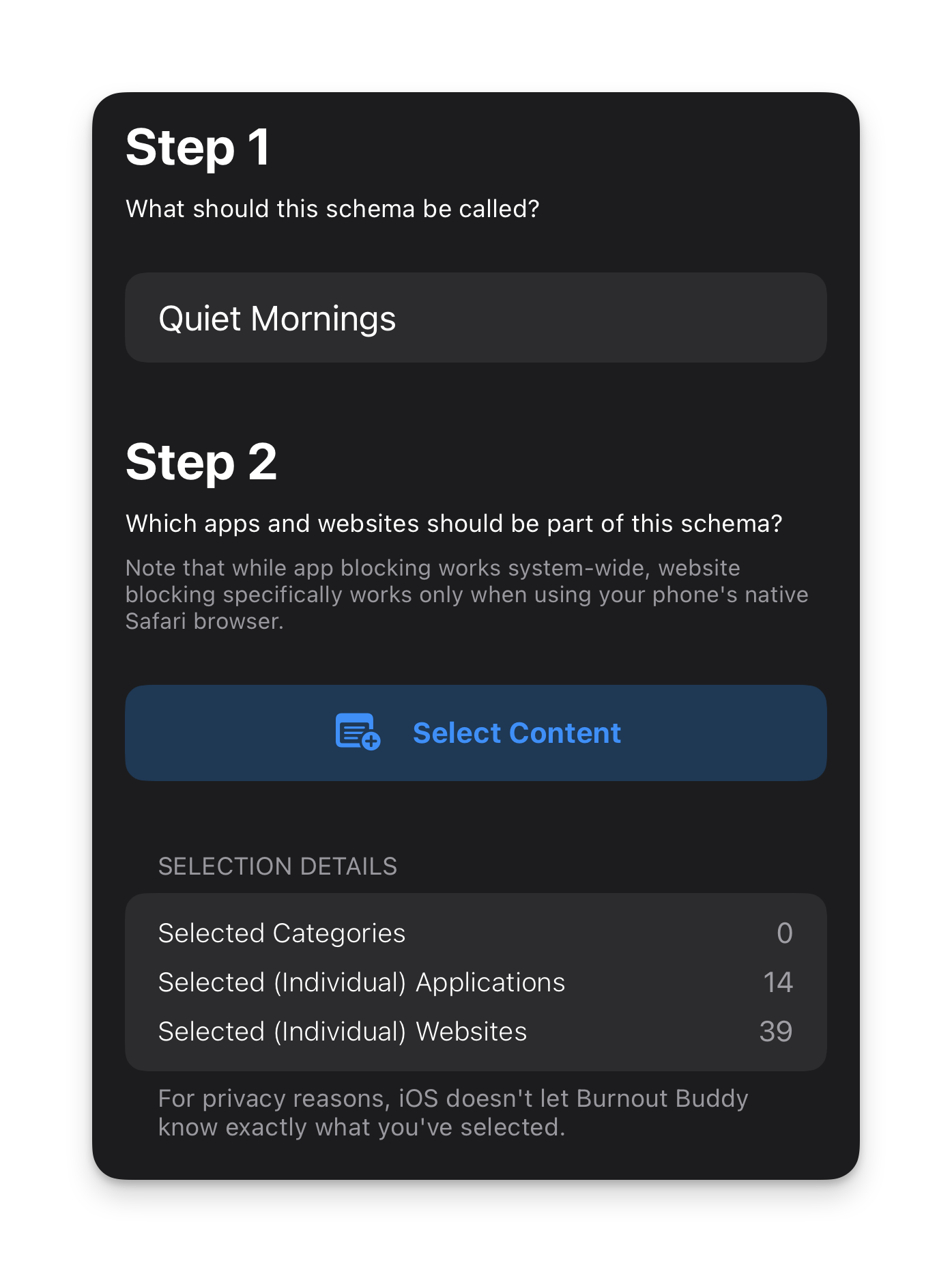
Give your schema a name in ‘Step 1’ (eg. ‘Quiet Mornings’)
Select all the apps and websites you want the schema to apply to in ‘Step 2’
You can see in my example below that I have 14 apps and 39 websites blocked. I’ve included ALL messaging apps as well as all news pages, social media apps and websites and anything that isn’t essential or completely un-distracting (ie. the Phone app so I can make and receive calls and essential tools like banking apps).
- Choose the schedule you want the schema to run on.
I have mine set as follows:
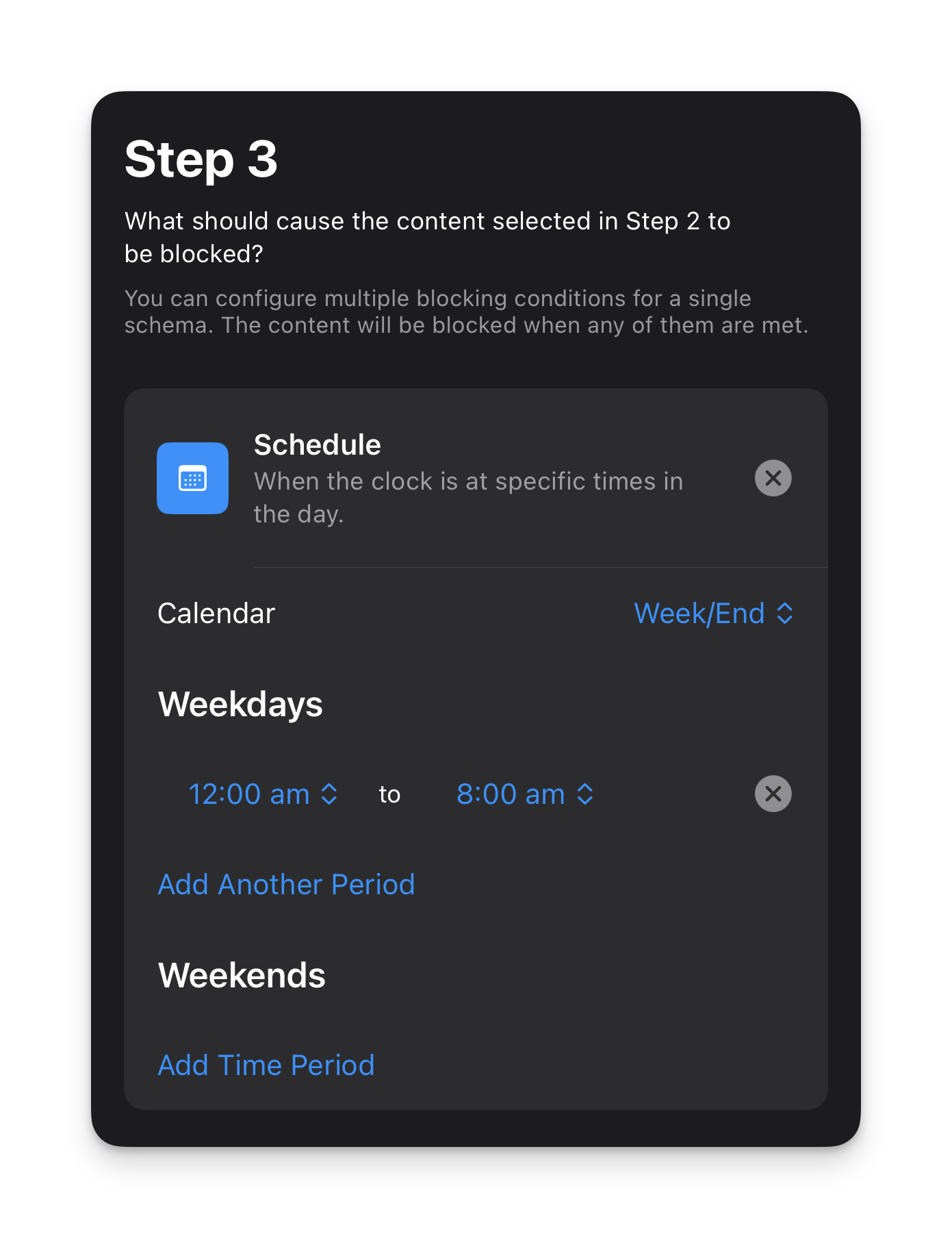
- For this schema I don’t have a daily usage limit as this is purely for blocking apps and websites in the morning.
- I also don’t have any custom/siri settings for this schema either but you can add them if you want.
- Enable ‘Strict Mode’ in the ‘Advanced’ section.
- Hit ‘Publish’ in the top right.
This schema makes my iPhone feel like a dumb phone without me actually having to turn it into a dumb phone. I wake up and look at the time and have zero reason to do anything else on my phone because there is truly nothing of interest to do on it.
This means when I wake up, my attention is on me and my life for the first hour or so of my day.
The impact of this simple act is only truly understood when you experience it for yourself.
Here’s a couple of tips to make this something you can add to your daily life without creating unnecessary anxiety for yourself:
Let close friends and family (or anyone you’re in regular communication with) know that you’re doing it and that they can call you in an emergency
Try to give yourself at least 1 hour in the morning after your usual wake up time
Leave enough time before your daily commitments start (for example, if you start work at 9am, you might not want to have everything blocked until 9am in case you need to check up on emails before the day begins)
The benefit of giving yourself a dedicated window every day where the external world can’t get to you and distract you is that you have the time and space to start your day with clarity and intention. You can journal, meditate, read, get to know yourself better or plan your day before the world tells you what you should do with it.
This is one to really try out for yourself. And if you do, let me know how you find it in the comments below!
